 Lucas Bordeau
96f3ff0e90
Lucas Bordeau
96f3ff0e90
## Demo


https://github.com/user-attachments/assets/584de452-544a-41f8-ae9f-4be9e9d0cd9f


## Problem
- Dashboards only supported chart widgets — tabular record data had no
inline widget type
- `RecordTable` was tightly coupled to the record index: HTML IDs, CSS
variables, and hover portals were global strings with no per-instance
scoping, so multiple tables on the same page would collide
- `updateRecordTableCSSVariable`, `RECORD_TABLE_HTML_ID`, and cell
portal IDs were hardcoded — placing two tables caused hover portals and
CSS column widths to bleed across instances
- Grid drag-select captured record UUIDs as cell IDs, producing `NaN`
layout coordinates and a full-page freeze on second widget creation

## Fix
- `RECORD_TABLE` is now a valid widget type across the full stack —
server DTOs, DB enum migration, universal config mapping, GraphQL
codegen, shared types (`RecordTableConfigurationDto`, `WidgetType`,
`addRecordTableWidgetType` migration)
- A record table widget can be placed on a dashboard and boots from a
View ID with no record index dependency —
`StandaloneRecordTableProvider` + `StandaloneRecordTableViewLoadEffect`
(wraps existing `RecordTableWithWrappers` unchanged)
- Selecting a data source auto-creates a dedicated View with up to 6
initial fields; switching source or deleting the widget cleans up the
View — `useCreateViewForRecordTableWidget` +
`useDeleteViewForRecordTableWidget`
- The settings panel exposes source, field visibility/reorder, filter
conditions, sort rules, and editable widget title —
`SidePanelPageLayoutRecordTableSettings` + sub-pages, matching chart
widget pattern
- Filters, sorts, and aggregate operations update the table in real time
but only persist to the View on explicit dashboard save —
`useSaveRecordTableWidgetsViewDataOnDashboardSave` (diff + flush on
save)
- Headers are always non-interactive (no dropdown, no cursor pointer);
columns are resizable only in edit mode; cells are non-editable in both
modes — `isRecordTableColumnHeadersReadOnlyComponentState`,
`isRecordTableColumnResizableComponentState`,
`isRecordTableCellsNonEditableComponentState` (Jotai component states)
- Hover portals and CSS column widths no longer bleed between multiple
table widgets — `getRecordTableHtmlId(tableId)`,
`getRecordTableCellId(tableId, …)`,
`updateRecordTableCSSVariable(tableId, …)` scope all DOM IDs and CSS
variables per instance
- Clicking inside a widget's content area no longer opens the settings
panel — `WidgetCardContent` stops click propagation when editable,
limiting settings-open to the card header and chrome
- Second widget creation no longer freezes the page —
`PageLayoutGridLayout` drag-select filters by `cell-` prefix to exclude
record UUIDs from grid cell detection

## Follow-up fixes

**Widget save flow**
- Saving a dashboard silently dropped record table widget changes
(column visibility, order, filters, sorts, aggregates) because widget
data save was bundled inside the layout save and only ran when layout
structure changed
- Widget data now persists independently via
`useSavePageLayoutWidgetsData`, called in all save paths (dashboard
save, record page save, layout customization save); saves are also
skipped when nothing has changed

**Drag-and-drop / checkbox columns in widget**
- Record table widgets showed the drag handle column and checkbox
selection column even though row reordering and multi-select are
meaningless in a read-only widget
- Two new component states
(`isRecordTableDragColumnHiddenComponentState`,
`isRecordTableCheckboxColumnHiddenComponentState`) hide each column
independently; widget tables now display only data columns

**Sticky column layout**
- Sticky positioning of the first three columns used `:nth-of-type` CSS
selectors — when drag or checkbox columns were hidden, the selector
targeted the wrong column and the first data column didn't stick
- Sticky CSS now targets semantic class names
(`RECORD_TABLE_COLUMN_DRAG_AND_DROP_WIDTH_CLASS_NAME`, etc.) so sticky
behavior is correct regardless of which columns are hidden

**Save/Cancel buttons during edit mode**
- Save and Cancel command-menu buttons were unpinned during dashboard
edit mode because the pin logic excluded all items while
`isPageInEditMode` was true
- Items whose availability expression contains `isPageInEditMode` are
now exempted from the unpin rule; Save/Cancel stay pinned during editing

**Title input auto-focus**
- Selecting "Record Table" as widget type auto-focused the title input,
interrupting the configuration flow
- `focusTitleInput` is now `false` when navigating to record table
settings

**Morph relation field error**
- A field with missing `morphRelations` metadata crashed the page with a
"refresh" error from `mapObjectMetadataToGraphQLQuery`
- Now returns an empty array and silently omits the field from the query
instead of crashing

**`updateRecordMutation` prop removal**
- `RecordTableWithWrappers` required callers to pass an
`updateRecordMutation` callback, duplicating `useUpdateOneRecord` at
every usage site
- The mutation is now owned inside `RecordTableContextProvider` via
`RecordTableUpdateContext`; the prop is gone

**Standalone → Widget module rename**
- `record-table-standalone` module renamed to `record-table-widget` —
`StandaloneRecordTable` → `RecordTableWidget`,
`StandaloneRecordTableViewLoadEffect` →
`RecordTableWidgetViewLoadEffect`, etc.

**RecordTableRow cell extraction**
- Row rendering logic (`RecordTableCellDragAndDrop`,
`RecordTableCellCheckbox`, `RecordTableFieldsCells`, hotkey/arrow-key
effects) was duplicated between `RecordTableRow` and
`RecordTableRowVirtualizedFullData`
- Extracted `RecordTableRowCells` (shared cell content) and
`RecordTableStaticTr` (non-draggable `<tr>` wrapper); when drag column
is hidden, rows render inside a static `<tr>` instead of the draggable
wrapper

**View load effect metadata tracking**
- `RecordTableWidgetViewLoadEffect` now tracks
`objectMetadataItem.updatedAt` alongside `viewId` to re-load states when
metadata changes (e.g. field additions), preventing stale column data

**Data source dropdown deduplication**
- Extracted `filterReadableActiveObjectMetadataItems` util, shared by
both chart and record table data source dropdowns — removes duplicated
permission-filtering logic

**RECORD_TABLE view identifier mapping (server)**
- Added `RECORD_TABLE` case to
`fromPageLayoutWidgetConfigurationToUniversalConfiguration` and
`fromUniversalConfigurationToFlatPageLayoutWidgetConfiguration` so
widget views are properly mapped during workspace import/export

**GraphQL error handler typing (server)**
- `formatError` parameter changed from `any` to `unknown`;
`workspaceQueryRunnerGraphqlApiExceptionHandler` broadened from
`QueryFailedErrorWithCode` to `Error | QueryFailedError` — removes
unsafe type casts

**Save hook signature**
- `useSaveRecordTableWidgetsViewDataOnDashboardSave` no longer takes
`pageLayoutId` in constructor; receives it as a callback parameter,
eliminating the need for `useAtomComponentStateCallbackState`

**Customize Dashboard hidden during edit mode**
- The "Customize Dashboard" command was still visible while already
editing — its `conditionalAvailabilityExpression` now includes `not
isPageInEditMode`

**Fields dropdown split**
- `RecordTableFieldsDropdownContent` (300+ lines) split into
`RecordTableFieldsDropdownVisibleFieldsContent` and
`RecordTableFieldsDropdownHiddenFieldsContent`

**Checkbox placeholder cleanup**
- Removed unnecessary `StyledRecordTableTdContainer` wrapper from
`RecordTableCellCheckboxPlaceholder`

The #1 Open-Source CRM
🌐 Website · 📚 Documentation ·  Roadmap ·
  Discord ·
  Figma
Figma
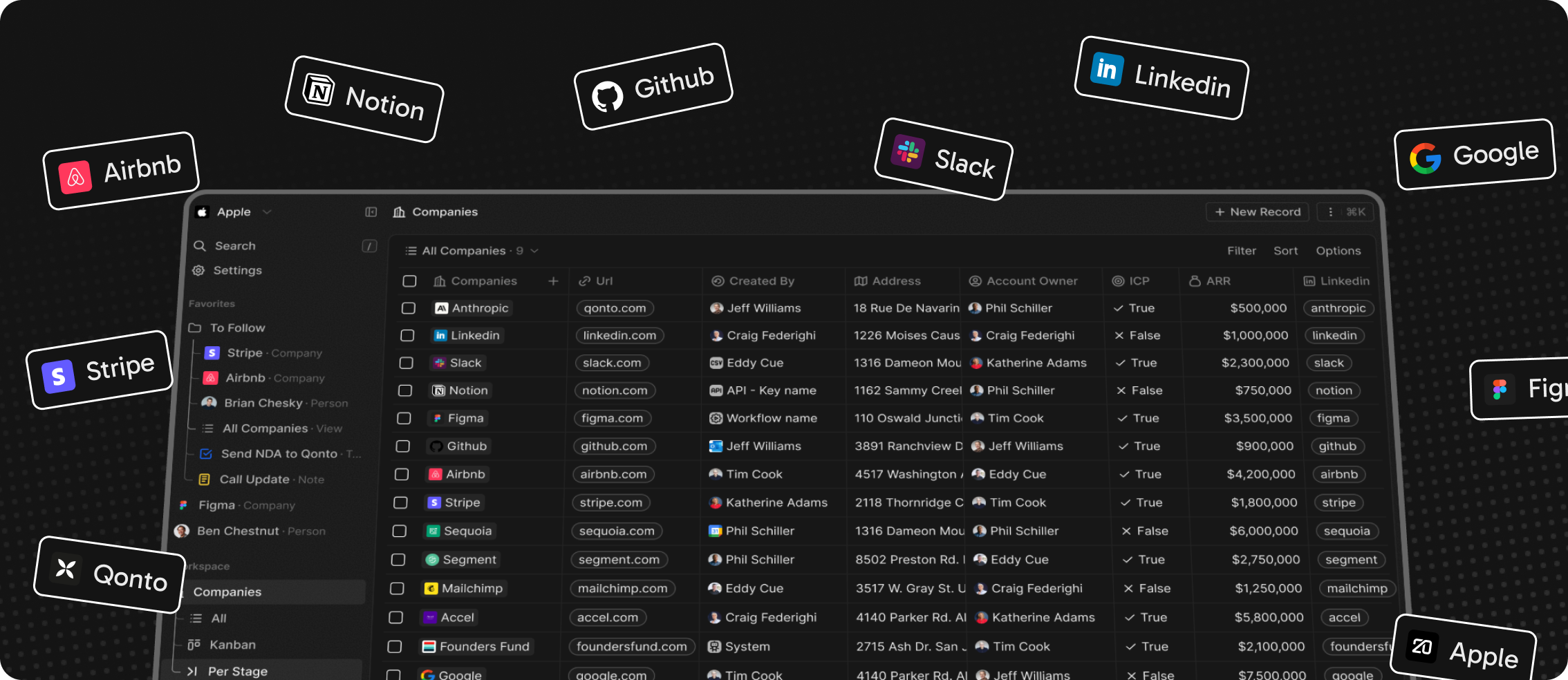
Installation
See: 🚀 Self-hosting 🖥️ Local Setup
Why Twenty
We built Twenty for three reasons:
CRMs are too expensive, and users are trapped. Companies use locked-in customer data to hike prices. It shouldn't be that way.
A fresh start is required to build a better experience. We can learn from past mistakes and craft a cohesive experience inspired by new UX patterns from tools like Notion, Airtable or Linear.
We believe in open-source and community. Hundreds of developers are already building Twenty together. Once we have plugin capabilities, a whole ecosystem will grow around it.
What You Can Do With Twenty
Please feel free to flag any specific needs you have by creating an issue.
Below are a few features we have implemented to date:
- Personalize layouts with filters, sort, group by, kanban and table views
- Customize your objects and fields
- Create and manage permissions with custom roles
- Automate workflow with triggers and actions
- Emails, calendar events, files, and more
Personalize layouts with filters, sort, group by, kanban and table views

Customize your objects and fields

Create and manage permissions with custom roles

Automate workflow with triggers and actions

Emails, calendar events, files, and more

Stack
- TypeScript
- Nx
- NestJS, with BullMQ, PostgreSQL, Redis
- React, with Jotai, Linaria and Lingui
Thanks


Thanks to these amazing services that we use and recommend for UI testing (Chromatic), code review (Greptile), catching bugs (Sentry) and translating (Crowdin).
Join the Community
- Star the repo
- Subscribe to releases (watch -> custom -> releases)
- Follow us on Twitter or LinkedIn
- Join our Discord
- Improve translations on Crowdin
- Contributions are, of course, most welcome!